Ledge brings accounts, transactions, People balances, budgets,
goals, recurring activity, analytics, reports, and backups
together in a single app. It is designed to stay clear as your
financial life grows.
Ledge helps you see your current position, record activity,
track open balances with people, plan ahead, and review changes
over time. The interface stays quiet and direct, so the details
remain easy to work with.
Position
See where you are
Use Dashboard, Accounts, People, and Analytics to review
balances, cash flow, budgets, goals, People exposure, and net
worth.
Recording
Track ordinary activity and open balances
Record income, spending, and transfers with categories,
payees, tags, notes, attachments, and status, then use
People when money is still owed between you and someone else.
Control
Plan and review
Budgets, goals, recurring rules, analytics, reports, exports,
and backups help keep the system useful over time.
Dashboard
Start with Dashboard
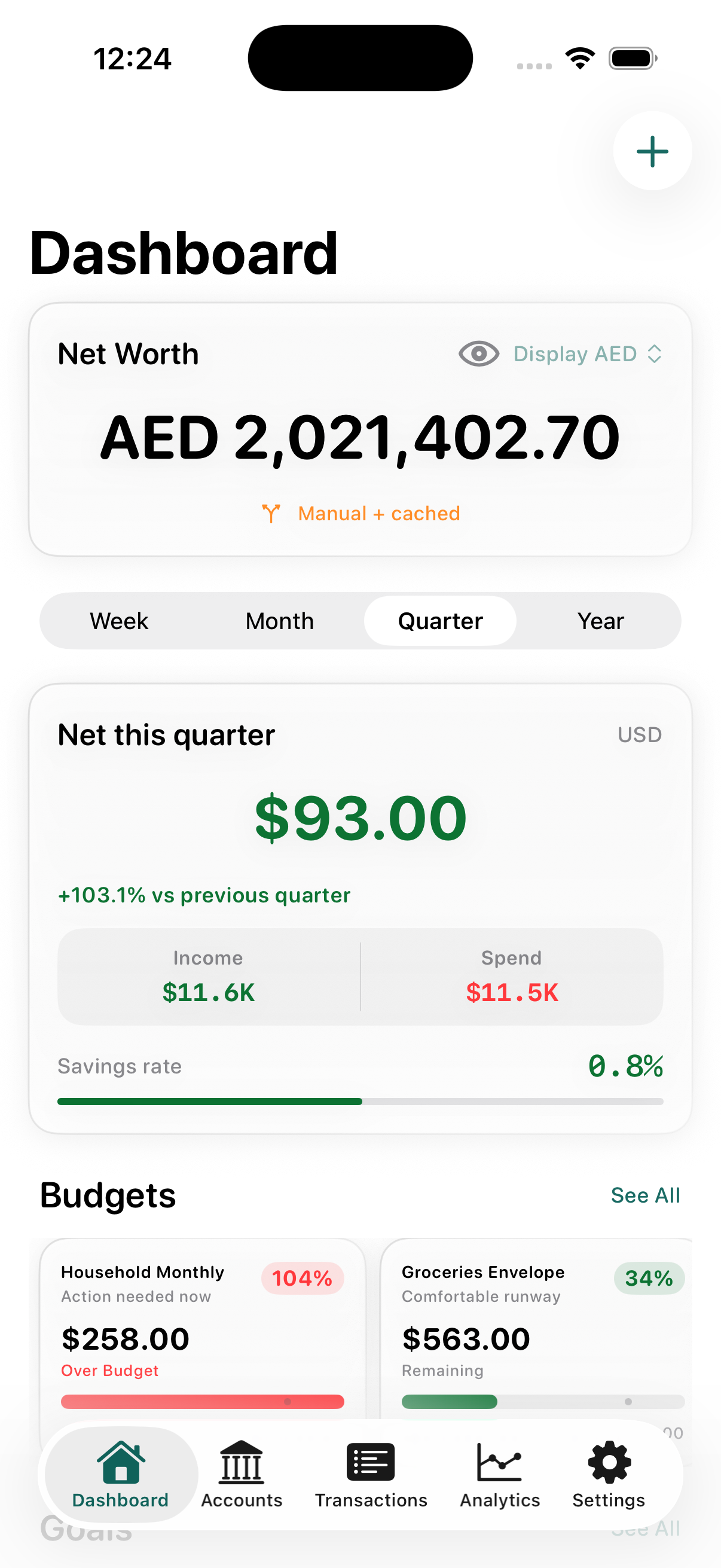
Dashboard gives you a quick review of your finances. It can
show net worth, cash flow, income and spending totals, budget
status, goal progress, People balances, upcoming activity,
and recent transactions.
Week, Month, Quarter, YearBase currency summaries
Accounts, transactions, and people
Keep the ledger and relationship balances together
Keep checking, savings, cash, credit card, loan, term deposit,
fixed asset, and brokerage accounts together. Record expenses,
income, and transfers, then track repayments, reimbursements,
and settlements in the People workspace.
Groups, currencies, and PeopleFilters, attachments, and statements
Planning
Budgets, goals, recurring rules, and cash flow
Set budgets, save toward goals, create recurring rules, and use
cash flow, analytics, and reports to review changes over time.
Thresholds and rolloverGoals and reserves
Data
Import, export, and backup
Bring in existing data, export filtered records when needed,
and create backups with or without attachments.
CSV, OFX/QFX, QIFCSV and PDF export
Privacy and control
Keep your data under your control
No separate account
Start without signing up
No separate Ledge account is required to use the app.
Storage and security
Keep data on your terms
Your data stays on device, or in private iCloud storage if sync is enabled. App Lock uses device security.
Portability
Keep a copy of your records
Backups and exports help keep your records portable, and live exchange-rate refresh remains optional.
Across devices
Available on iPhone and iPad. Mac under development.
On iPhone
For everyday use
Keep Dashboard and Settings fixed. By default, the middle tabs are Accounts, Transactions, and People, and you can swap them for Analytics, Budgets, or Goals later.
On iPad
For wider review
Use roomier list-detail layouts for accounts, settings, and other review-heavy workflows.
On Mac
Under development
A Mac version is currently under development and will be available soon.